Contrast
Text

Tag: accessibility

  • I Did It, It Is Done – My Final Shift Into CHROME OS

    I Did It, It Is Done – My Final Shift Into CHROME OS

    Alright, tech aficionados, gather ’round! I’ve just executed a major OS migration, a digital leap of epic proportions! 🚀

    Operation: Windows Exodus is a GO!

    Yes, you heard it right! I’ve performed a clean uninstall of the Windows paradigm from my daily driver experience. The digital curtains have dropped, the proverbial “blue screen of sadness” is banished, and a new era dawns! 🌅

    The Great System Audit: A Deep Dive into My Digital Ecosystem 🔍

    For weeks, nay, months, I’ve been running a rigorous analysis of my computational needs. With a fleet of three devices at my disposal, I embarked on a journey of self-discovery: “Which OS truly resonates with my workflow? Which platform delivers the optimal user experience?” After meticulous data collection and analysis (read: staring intensely at screens), a clear winner emerged. 🏆

    Farewell, Windows! Initiating Chrome OS Protocol! 💻➡️🌐

    For a significant portion of my digital existence, Windows has been my primary operating system, a stalwart companion in the realm of personal computing (save for that brief, experimental phase with macOS). However, the allure of Chrome OS, with its streamlined interface, intuitive functionality, and cloud-centric architecture, proved irresistible. 💖

    Let’s face it: my once-beloved Windows rig was languishing, a relic of a bygone era. Usage logs revealed a startling truth: a mere three brief encounters in the past six months! It was time to pull the plug. 🔌

    Windows, you will always hold a sentimental place in my digital history, but my needs have evolved. I crave a lean, mean, computing machine—a system that “just works,” without the bloat and overhead of legacy platforms. 🤖

    No more wrestling with antivirus software, deciphering convoluted file storage hierarchies, or navigating the treacherous waters of inconsistent cloud synchronization. The days of OneDrive vs. Google Drive are over! ⚔️

    Engaging Chrome OS: A Quantum Leap in User Experience!

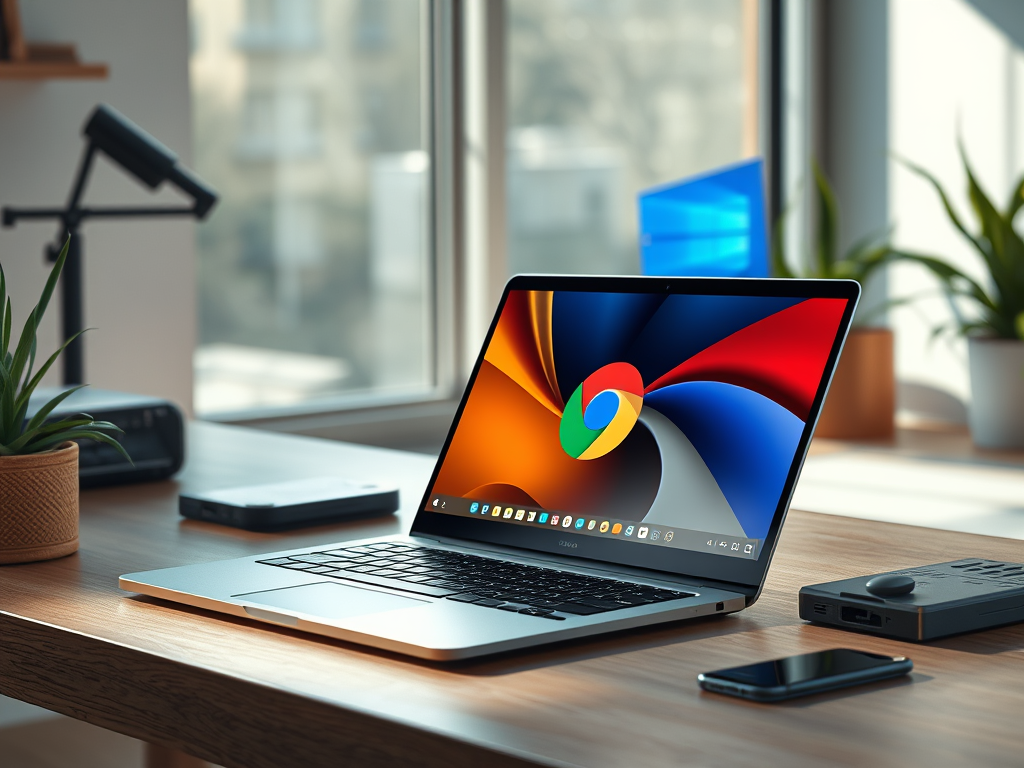
    I’ve embraced the Chrome OS ecosystem, a paradigm shift towards a more efficient, secure, and cloud-integrated computing experience. The sleek, minimalist interface of my new Chrome OS laptops is a breath of fresh air, a testament to the power of streamlined design. 🌬️

    This isn’t just a switch; it’s a strategic upgrade. It’s about optimizing my workflow, maximizing my productivity, and embracing the future of computing. Join me on this exciting journey into the realm of Chrome OS! 🚀✨

  • An Open Letter To The Government Of Alberta MLAs

    An Open Letter To The Government Of Alberta MLAs

    Subject: Urgent Action Needed: Addressing Discrimination Against Guide and Service Dog Users in Alberta

    Dear Members of the Legislative Assembly of Alberta,

    I am writing on behalf of guide dog, service dog, and service dog in training handlers in Alberta to address a critical issue of systemic discrimination that significantly impacts our community. We are experiencing frequent ride refusals from both ride-sharing and traditional taxi services, a direct violation of the Blind Persons’ Rights Act and the Service Dogs Act of Alberta. Despite these clear legal protections, enforcement is demonstrably lacking, and police response to these incidents of discrimination is inadequate.

    These refusals severely restrict the independence, safety, and freedom of movement of Albertans who rely on guide and service dogs. These animals are essential for our participation in daily life, providing crucial support and enabling us to navigate the world. The constant denial of service sends a message that our rights as persons with disabilities are not valued and that we are, in effect, less than full members of society.

    While some drivers cite allergies, fear, or religious beliefs as justification for refusing service, these claims are often not substantiated with the appropriate regulatory bodies (city licensing boards). This lack of accountability allows discriminatory practices to continue unchecked. The consequences of these refusals can be severe, leaving individuals stranded in dangerous situations, including on major freeways or in extreme weather conditions.

    The process for reporting these incidents is excessively burdensome, placing a disproportionate amount of emotional labor and effort on individuals already facing significant challenges. Furthermore, the reporting often yields unsatisfactory outcomes. We see little to no evidence of penalties levied against offending drivers or effective enforcement action taken to prevent future occurrences. This lack of meaningful recourse exacerbates the frustration and fear experienced by our community.

    This ongoing discrimination prevents persons with disabilities from fully participating in society and exercising our constitutionally and charter-protected rights. We simply seek to access the same goods and services as non-disabled individuals and to live our lives with dignity and autonomy. Guide and service dogs are not merely pets; they are essential medical aids, comparable to wheelchairs or oxygen tanks, and denying access to individuals accompanied by these animals is akin to denying access to essential medical equipment, a clear violation of the law.

    We urge the Legislative Assembly to take immediate and decisive action to address this urgent matter. We need:

    • Stronger enforcement of the Blind Persons’ Rights Act and the Service Dogs Act.
    • Increased accountability for drivers who discriminate against guide and service dog users.
    • Streamlined reporting processes that minimize the burden on individuals with disabilities.
    • Meaningful penalties for those who violate the law.

    We are tired of fighting for our basic rights. We are tired of being treated as second-class citizens. We are asking for your support in ensuring that Albertans with disabilities can live full and equitable lives. We look forward to your prompt response and a commitment to action.

  • From Cane to Guide Dog 2.0: Lessons Learned About Myself

    From Cane to Guide Dog 2.0: Lessons Learned About Myself

    We all learn about ourselves as we navigate life’s various stages and experiences. This is especially true for those of us with vision loss who use canes, guide dogs, or both. This post reflects my personal journey as a cane user, a guide dog handler, and someone with fluctuating, unreliable residual vision.

    Lesson 1: I Over-Rely on My Sight

    This was a tough pill to swallow because I didn’t even realize I was doing it. For as long as I can remember, I used my vision to supplement my independent travel, hoping it would catch what my cane missed or identify obstacles at head level. I had no idea how problematic this was until I’d had my first guide dog, Indy, for about a year. We started having serious navigational issues.

    Indy, my first little yellow boy, was incredibly smart – almost too smart. The problem? My residual vision was interfering. Instead of guiding me around hazards, he was leading me towards them, walking me right on the edge of sidewalks, and generally making me feel unsafe. I contacted my guide dog program for help. During a session with a trainer, we discovered the root of the problem: I was using my vision, however limited, to override Indy’s trained responses and intelligent disobedience. He was doing his job, but I wasn’t letting him. This resulted in a massive communication breakdown and created dangerous situations.

    The takeaway? Just because you have some residual vision doesn’t mean you should use it all the time. Sometimes, the best thing is to trust your dog and let them do what they’re trained to do. Use your vision sparingly, perhaps for identifying visual landmarks to aid in route-finding. With my second guide dog, I’ve noticed a huge difference when I consciously avoid using my vision. He navigates much more smoothly and confidently.

    The challenge is becoming aware of when you’re using your vision. It’s often subconscious. Those of us trained in Orientation and Mobility (O&M) who learned to use auditory, visual, and tactile cues together will likely struggle with this the most. It’s okay to have these moments of accidental over-reliance, but the sooner you recognize the pattern, the sooner you can prevent it.

    Lesson 2: Trust the Process (and the Dog)

    Related to the first lesson, I’ve learned the importance of trusting the process and, more importantly, trusting my dog. It’s easy to second-guess, especially when you’re used to relying on your vision. But a guide dog is trained to make decisions based on a wealth of information – scent, sound, and tactile cues – that we can’t access. When I try to “help” by using my vision, I often introduce conflicting information and confuse my dog. This not only disrupts their focus but can also undermine their confidence.

    Learning to let go and trust my dog has been a process. It requires conscious effort and constant self-monitoring. I have to remind myself that my dog is a highly trained professional, and I’m the amateur. The more I trust, the smoother and safer our travels become.

    Lesson 3: Communication is Key (Even Without Words)

    Effective communication is crucial in any relationship, and the bond between a guide dog and handler is no exception. While we can’t verbally communicate with our dogs, we communicate through subtle cues – leash pressure, body language, and even our emotional state. Learning to read my dog’s cues has been just as important as him learning to read mine. He tells me when he’s unsure, when he’s detected a hazard, and even when he’s just feeling playful. Learning to listen to these nonverbal cues has strengthened our bond and improved our teamwork.

    Lesson 4: Patience is a Virtue (Especially with Yourself)

    Learning to work with a guide dog is a journey, not a destination. There will be good days and bad days, moments of frustration and moments of pure joy. It’s crucial to be patient – not just with your dog but with yourself. It takes time to build trust, develop effective communication, and learn to navigate the world as a team. There will be setbacks, but it’s important to remember that progress isn’t always linear. Celebrate the small victories, learn from the mistakes, and keep moving forward.

    Lesson 5: Adaptability is Essential

    Life with a guide dog is full of surprises. Unexpected obstacles, changes in environment, and even the dog’s mood can impact a journey. Being adaptable and flexible is crucial. Sometimes, you have to change your route, slow down, or even take a break. Learning to roll with the punches and adjust to changing circumstances has made me a more resilient and resourceful traveler.

    Conclusion

    My journey from cane to guide dog (and now guide dog 2.0) has been a profound learning experience. It’s taught me about self-awareness, trust, communication, patience, and adaptability. These lessons extend far beyond navigating the physical world; they’ve enriched my life in countless ways. While there have been challenges, the rewards of working with a guide dog are immeasurable. The independence, companionship, and unconditional love they offer are truly life-changing.

  • My Screen Reader Experience: A World of Choices

    My Screen Reader Experience: A World of Choices

    For years, JAWS (Job Access With Speech) was the screen reader in North America, alongside the built-in VoiceOver on macOS. Then came NVDA, shaking things up. Finally, we have the ubiquitous ChromeVox, the built-in screen reader on all Chrome OS devices. Let’s explore my experiences with each, considering their platforms and target users.

    JAWS: Sink or Swim?

    This shark-themed screen reader was one of the first on Windows. I remember it running on DOS/Windows 3.1 as a separate piece of hardware – talk about ancient history! Today, you can download it… after paying a hefty price. Last I checked, a license cost around $1,000 Canadian, not including updates.

    Personally, I found JAWS incredibly frustrating. It always seemed slower than me, struggling to keep up with my typing and lagging during simple tasks. I later realized it’s a resource hog, demanding massive amounts of RAM. While they recommend 4GB, I’d suggest nothing less than 8GB, preferably 12GB. Anything less leads to lag, slowdowns, and crashes.

    VoiceOver: A Breath of Fresh Air

    Just as I was about to give up on JAWS, I discovered VoiceOver thanks to the iPhone. I fell in love with its ease of use, clean functionality, and ability to keep pace with me. This led me to buy a Mac. I lived in the Apple ecosystem for several years during university, using a MacBook Air and a MacBook Pro. It was incredibly liberating to use a system that thrived on 8GB of RAM, felt fast and responsive, and rarely crashed. VoiceOver on Mac was, and still is, one of my favorite screen readers.

    NVDA: Free, Adaptable, and Flexible

    NVDA is FREE! This amazing open-source software is flexible, adaptable, and highly functional, and it won’t break the bank. They do accept donations, and you can choose how much (or nothing) to give.

    NVDA breathed new life into Windows for me. It’s fast, responsive, adaptable, and smoother than JAWS. Dare I say it’s the Windows equivalent of VoiceOver? I’ve been using NVDA on my personal Windows laptop for five years and love it. It can do everything JAWS could, and even allows for reprogramming (if you know Python, which I don’t).

    ChromeVox: My New Love

    Okay, enough with the sappiness… but ChromeVox on Chrome OS is truly smooth and unique. It operates within Chrome OS and provides the same system-level access as other screen readers. The key difference? It runs amazingly well even on sub-$500 Chromebooks. Whether you have 4GB or 16GB of RAM, a 12-inch or 16-inch screen, ChromeVox performs. It connects to most mainstream braille displays and has a built-in magnification system, though the built-in magnifier isn’t as flexible as I’d like for my dual-screen setup. Still, we’re focusing on ChromeVox’s fluid function.

    From the moment you power on your Chromebook, you’re a key command away from independent system setup. Just press Ctrl+Alt+Z, and you’ll hear that familiar Google voice.

    I’ve been daily driving ChromeVox for several weeks now, and intermittently for years, and I can honestly say it will soon be my primary screen reader. I’m not even sure a traditional PC has a place in my life anymore.

    Conclusion

    The world of screen readers has evolved significantly. From the expensive and resource-heavy JAWS to the streamlined VoiceOver, the adaptable NVDA, and the surprisingly powerful ChromeVox, users now have a range of choices. My journey has highlighted the importance of accessibility, performance, and cost-effectiveness. While each screen reader has its strengths and weaknesses, the rise of free and efficient options like NVDA and ChromeVox has democratized access to technology for visually impaired users. Ultimately, the “best” screen reader depends on individual needs and preferences, but the availability of diverse options is a huge win for accessibility.

  • The Good, the Bad, and the Ugly: Food Delivery App Accessibility

    The Good, the Bad, and the Ugly: Food Delivery App Accessibility

    In today’s fast-paced world, the gig economy has exploded, with Uber Eats, SkipTheDishes, DoorDash, and Instacart dominating the Canadian landscape. While these services offer convenience, especially for people with disabilities, a closer look reveals a darker side. Let’s explore the accessibility of customer service, communication with delivery drivers/shoppers, app accessibility itself, and, crucially, pricing models. Each has its share of “sketchy” elements and raises concerns about long-term use, particularly for those with disabilities or fixed incomes.

    The Good: A Game Changer for Many

    These apps have undeniably done a lot of good, especially for people with disabilities. During the pandemic, they provided a lifeline for immunocompromised individuals, allowing them to access groceries and meals without risking close contact. They offer menu access for those with vision loss and reduce the stress of grocery shopping. The benefits are numerous, but to avoid boring you, let’s move on to the less rosy aspects.

    The Bad: Pricing and Transparency Issues

    Despite the advantages, several aspects of these platforms are problematic. Pricing models and product availability are particularly concerning.

    You might find items in your local grocery store that aren’t available on Instacart. This likely stems from purchase volume; items with low demand through the platform probably won’t be listed. While understandable from a business perspective, it limits choices.

    Even more troubling is the price markup between in-store prices and what you see on the apps. This can range from a few cents to several dollars per item. Some stores advertise “in-store pricing,” but many don’t disclose whether their app prices match or exceed in-store costs. Often, even when advertised as “same as in-store,” prices are higher. This inconsistency creates a financial burden and confusion. How can you budget when you’re unsure of the real price?

    Finally, the hidden fees are a major issue. Why aren’t all fees (service fees, delivery fees, etc.) disclosed upfront? Why are we only informed at checkout? Why isn’t the service fee structure explained before we even start shopping? This feels predatory, especially for those on fixed incomes who need to stretch their budgets. Imagine having to drastically reduce your order at the last minute because of unexpected fees.

    The Ugly: SkipTheDishes and its Accessibility Fail

    Now, for the “ugly” part, I’m calling out SkipTheDishes. If you’ve ever had an issue with a SkipTheDishes order, you’re probably familiar with their in-app customer service chat. While I understand the shift away from phone support, this platform is deeply flawed for visually impaired users who rely on screen readers. The chat function is only partially accessible. You can read your own messages, but the customer service representative’s replies are often unreadable by screen readers. SkipTheDishes has been made aware of this accessibility issue and has yet to fix it.

    My workaround? Facebook Messenger. Yes, I’m using social media to resolve order issues because their dedicated in-app support is inaccessible. This is unacceptable.

    Conclusion: A Call for Change

    I’ve stopped using SkipTheDishes, even if they sometimes have better menu options. Instacart, despite its pricing and fee opacity, remains the most viable option for grocery delivery for now.

    I hope this post makes you aware of the challenges you might encounter, the confusing pricing and fee structures, and the potential difficulties in getting customer support. We need to demand better from these companies. Accessibility shouldn’t be an afterthought; it should be a core principle. Transparency in pricing and fees is essential. And customer support should be accessible to everyone, regardless of disability. These platforms offer a valuable service, but they need to do better to ensure they’re truly serving the entire community.

  • Lets Talk Tech – Dive Into My Ecosystem

    Lets Talk Tech – Dive Into My Ecosystem

    Hey everyone! Let’s talk tech. Over the past few years, I’ve amassed quite a collection, some thanks to a fantastic program through Google, and some I’ve bought myself. All of it has impacted my life, made me think differently about accessibility, and introduced me to platforms I now use every single day. So, let’s dive into my world of smartphones, smartwatches, and computers/tablets. (We’ll save smart home tech, like Firesticks and Chromecasts, for another post!)

    Smartphones: From Flips To Candy Bar Phones

    My current daily driver is the Samsung Galaxy S23+, but it’s a recent switch. Before this, I was rocking the amazing Z Flip 5. Why the change? It was really a matter of opportunity.

    The Z Flip 5: A Flashy Throwback

    The Z Flip 5 was, and still is, my absolute favorite phone. Even with its slightly unusual screen ratio, it was incredible. The outer screen was so functional, it blew my mind. Pair it with a good case, and you’ve got a flashy, flippy throwback to the early 2010s and those iconic flip phones. Remember the original Motorola RAZR? Enough said.

    The Z Flip 5’s One Downside

    The only real con? The inner screen. Because it’s flexible, it needs a special screen protector that costs about $80 to replace here in Alberta. Having to do that every six months gets expensive.

    My S23+: Back to Basics (But Better)

    I got a great deal on the S23+, and it made me realize why I still love the classic “candy bar” style. While I miss the Z Flip’s foldability, the S23+ has a bigger battery, better cooling, and oh my goodness, a much better camera. Samsung makes amazing devices across the board – you have to give them that – but the camera on the S23+ is a vital tool for me.

    A History of Phones

    I’ve used everything from a Samsung S5 to the S23+, a Pixel 4A, Moto devices, and even an iPhone (gasp!). So why Samsung? Well, it ties into my next category…

    Smartwatches: More Than Just Time

    My smartwatch journey started with a cheap, used Asus Android Wear watch. I was hooked, not just for telling time, but for notifications, step counting, and so much more. And they’re accessible!

    After that first watch shuffled off this mortal coil, I got a Mobvoi TicWatch 5E. It was the more budget-friendly version of the TicWatch 5, and I loved it. I did have some minor accessibility issues with the Mobvoi apps, but the watch itself cemented my love for smartwatches.

    Then, I found a deal on a Samsung Galaxy Watch 4 Classic – you know, the one that doubled as a fidget spinner! I used it for a few months until that update. You know, the one that was supposed to fix the bricking issues from the previous update… and promptly bricked my watch.

    So, I needed a new one. Tough choice: something similar in size and sportier, or the Watch 5 Pro – chunkier, but tougher with titanium and sapphire glass? I went Pro, because let’s be honest, I’m rough on my tech. It’s still going strong after three years! And the Watch 5 Pro is a big reason I stick with Samsung phones. Features like ECG and blood pressure monitoring are unique to the Samsung ecosystem, and as someone with high blood pressure, those are important to me.

    Laptops: From Bricks to Beasts

    My laptop history is… eventful. I had a Lenovo IdeaPad that bricked itself with corrupted files. Then, I got a used 17-inch HP EliteBook, which was amazing (wi-fi issues aside). On a whim, I bought a Lenovo ThinkPad 2-in-1, and loved it! It was my daily driver until it couldn’t keep up anymore.

    Enter the Samsung Galaxy Book! This sleek, slim, non-touchscreen machine was, and still is, a micro-beast. It’s small but powerful.

    But, I have to confess, my true love right now is Chromebooks. Thanks to that Google program, I got to try a Pixelbook, and I still use it daily at work. I also loved the Lenovo Duet 5, which I traded with my partner for her monstrous 16-inch Asus CX5601 Chromebook. That Asus? My new favorite. It’s fast, has an amazing keyboard and trackpad, and all the ports I need.

    My current home workspace setup? My Samsung Galaxy Book connected to a beautiful 32-inch monitor and a 42 or 46-inch TV. And beside that beast, I have my trusty Brother monochrome laserjet printer.

    Tablets: Less Used These Days

    Since I have a 2-in-1 touchscreen laptop, I don’t use tablets much anymore. I do have a Pixel Tablet, but it mostly lives on its dock in the bedroom. I’ve used everything from iPads to Samsung Galaxy Tabs, and they all have their pros and cons. It really depends on what you need a tablet for.

    So, that’s a glimpse into my tech journey. I love how each piece has influenced my next purchase. I think I’m heading towards a full Chrome OS ecosystem. I’ve already ditched my Microsoft 365 subscription and kept Google Workspace for the extra Drive space. Google is making serious waves, creating functional and fantastic mobile operating systems. Android and Chrome OS? They’re my daily drivers.
  • The Erosion of Disability Rights: A Personal Reflection

    The Erosion of Disability Rights: A Personal Reflection

    While once it seemed that progress was being made towards acceptance and equality for people with disabilities, recent experiences suggest a troubling reversal. This personal reflection explores this apparent decline, focusing on societal attitudes, education, and employment. These observations are based on my own experiences and may not reflect the experiences of all individuals with disabilities.

    Society

    Technological advancements, such as AI and visual interpretation software, while promising, haven’t translated into true accessibility for many, particularly those with vision loss. While access to information and some products may have improved, crucial areas like point-of-sale systems, self-checkout kiosks, and food ordering systems often remain inaccessible. Negative encounters with service dogs, including outright refusals of service, persist.

    People using mobility devices like wheelchairs and walkers face similar challenges. Accessing buildings and stores is often difficult due to a lack of ramps, automatic doors, and accessible restrooms. Accessible transportation options are becoming increasingly unaffordable and unreliable, with fewer accessible cabs and inconsistent door-to-door transit services. The increasing number of ride-sharing services refusing passengers with service dogs, despite legal protections, further restricts accessibility. Instead of genuine inclusion, society often seems to be pushing people with disabilities further into the shadows, diminishing their autonomy and independence.

    Education

    The ongoing job action by school support staff in Alberta, including administrative assistants, education assistants, and specialized learning support workers, has a devastating impact on students, especially those with disabilities. These students are being denied access to vital educational support, hindering their learning and development. The lack of urgency from the government and school boards to resolve this strike underscores a disregard for the needs of these vulnerable students. The strike also creates a ripple effect, impacting families’ access to respite care. Many students are not receiving the necessary care, education, and independent living skills development they need to thrive. The long-term consequences of this disruption are deeply concerning .

    Employment

    My personal journey in the job market highlights the significant barriers faced by people with disabilities. During my university years (2012-2018), I struggled to find any employment, despite numerous applications. Six summers passed without a single interview. While internships with the Government of Saskatchewan in 2018 and 2019 provided valuable experience, the pandemic disrupted my career. After a period of unemployment, I secured a part-time internship with a non-profit, which ended after two years. Despite working with multiple employment agencies, finding stable employment proved incredibly challenging. My resume and skills were solid, yet employers showed little interest. Over three years, I applied for approximately 2,500 jobs and received only three interviews, ultimately landing my current role. This experience raises serious questions about systemic discrimination and the lack of opportunities for qualified individuals with disabilities.

    Conclusion

    The challenges I’ve described in society, education, and employment raise serious concerns about the true state of disability rights. Are we witnessing a decline in progress, with people with disabilities facing increasing marginalization? Why are human rights legislation and charter rights not being effectively enforced? What concrete steps can be taken to address these issues and ensure genuine equality and inclusion for all? These are urgent questions that demand answers and action.

  • Blue Bubble, Green Bubble: Does It Really Matter?

    Blue Bubble, Green Bubble: Does It Really Matter?

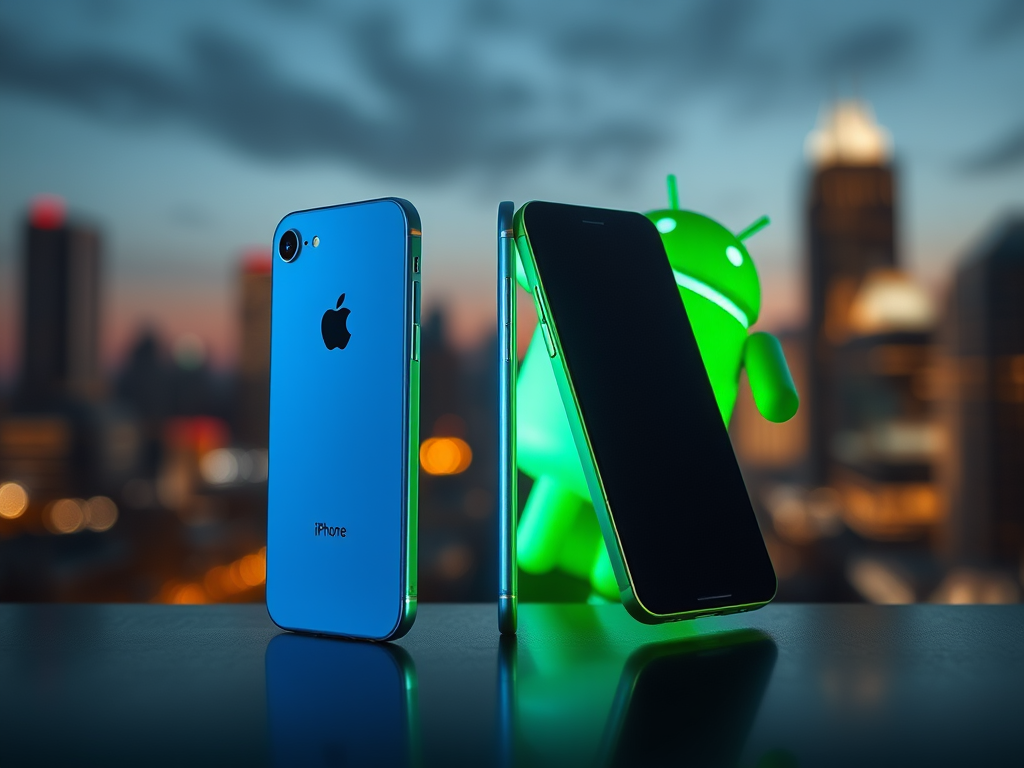
    The iPhone vs. Android debate is a long and storied one, dating back to the era of the Blackberry’s reign and the iPod Touch’s transformation into a smartphone. A time when Google’s Nexus devices were just emerging and Android was a fresh-faced operating system, offering a world of mobile choices.

    So, Android or iPhone?

    In the early days, the iPhone held a significant advantage, particularly when viewed through the lens of accessibility. This wasn’t a matter of personal preference, but rather a practical reality. My own experience in September 2010 solidified this. While I was enamored with the newly released HTC Desire, a Telus representative demonstrated the stark difference in out-of-the-box accessibility between iPhones and Androids. At that time, the iPhone was simply more accessible. It’s important to note that this was my experience, and I later learned about software that could enhance Android accessibility. However, for this narrative, I’ll stick with my lived experience.

    Thanks to that Telus representative, I walked out with a shiny iPhone 3Gs. Its accessibility, right out of the box, made it a great device. For years, I remained loyal to the iPhone, upgrading from the 3Gs to the 4, 5, and eventually the 7+. Familiarity and reliable accessibility were key factors. Then came Android 4.4.4 KitKat and the stunning Samsung Galaxy S5.

    I took the plunge, with both excitement and trepidation! I traded the “safety” of iMessage and the familiar iPhone display for the green bubble world of Android. I fell in love. Android offered accessibility, customization, and expandable storage. This marked the beginning of my Android journey and my introduction to the Samsung ecosystem.

    Android: Strong, Free, and Mine

    Loving the freedom of the S5, I upgraded to the Samsung Galaxy Note 5. Sleek, slim, powerful, and boasting an amazing stylus (more of a fidget toy than a functional tool, but I loved it nonetheless). This device introduced me to mobile payments and a new level of accessibility thanks to Samsung’s custom screen reader, Voice Assistant, a perfect blend of TalkBack and VoiceOver.

    A Touch of Nostalgia

    Then, in 2016, nostalgia struck. The new Blackberry Priv promised the perfect combination of a physical keyboard and a touchscreen in a sleek, sliding design. I was hooked! The screen size, the tactile keyboard, the Android operating system – it was the best of all worlds! Until, disaster struck. A cracked screen revealed the Priv’s greatest vulnerability. The repair cost far exceeded the price of a new iPhone 7+.

    Back to the Blue Bubble

    I was forced to return to the iPhone. Frankly, the accessibility wasn’t significantly different from the iPhone 5 I’d left behind. I was a little disappointed. The device was slimmer and felt better in hand, but that was about it. The changes felt minimal. A few iMessage gimmicks aside, there wasn’t much to write home about. Or was there? Let’s delve into a bit of psychology.

    The Apple Addiction

    Around that time, talk of “phone addiction” was rampant. I’ll admit it: I believe there was something about the iPhone that had a hold on me. Whether it was marketing or the device itself, I can’t say. But it was constantly in my hand. I wanted to hold it. It went everywhere with me, even to the bathroom at home. I can’t explain it, but I genuinely believe I was addicted to that phone. This became clear when I returned to Android with the Galaxy Note 9. With the Note 9, I found myself able to put it down and forget about it. I didn’t feel the need to constantly hold it, and I didn’t feel like I was missing out when it was on my desk. Apple, what did you do to our brains? Was it the marketing? The device’s coating? I’ll never know.

    My Choice?

    Since the Note 9, I’ve cycled through many phones, all Android. The reason is interesting and has become clearer over time. Today, from an accessibility perspective, Android and iOS are essentially on par. Android excels in some areas, while the iPhone still has advantages in others, depending on the user’s specific needs. Personally, I find Android more accessible due to its greater freedom. The variety of devices, screen sizes, form factors, and customized operating systems (built on the base Android system) allows for unparalleled choice. This has enabled Android to become a dominant force in the world of accessibility.

    Dare I say it? iPhone and Android are… distant cousins?

  • My Glasses: AI Eyeballs for a New Perspective

    My Glasses: AI Eyeballs for a New Perspective

    Imagine navigating the world without sight, yet yearning to understand its visual details. Or perhaps you are visually impaired or blind and seek greater access to your surroundings. We’re at a fascinating point in technology where camera-equipped glasses are becoming increasingly common, and the integration of AI takes them to a whole new level.

    Enter the Ray-Ban Meta.

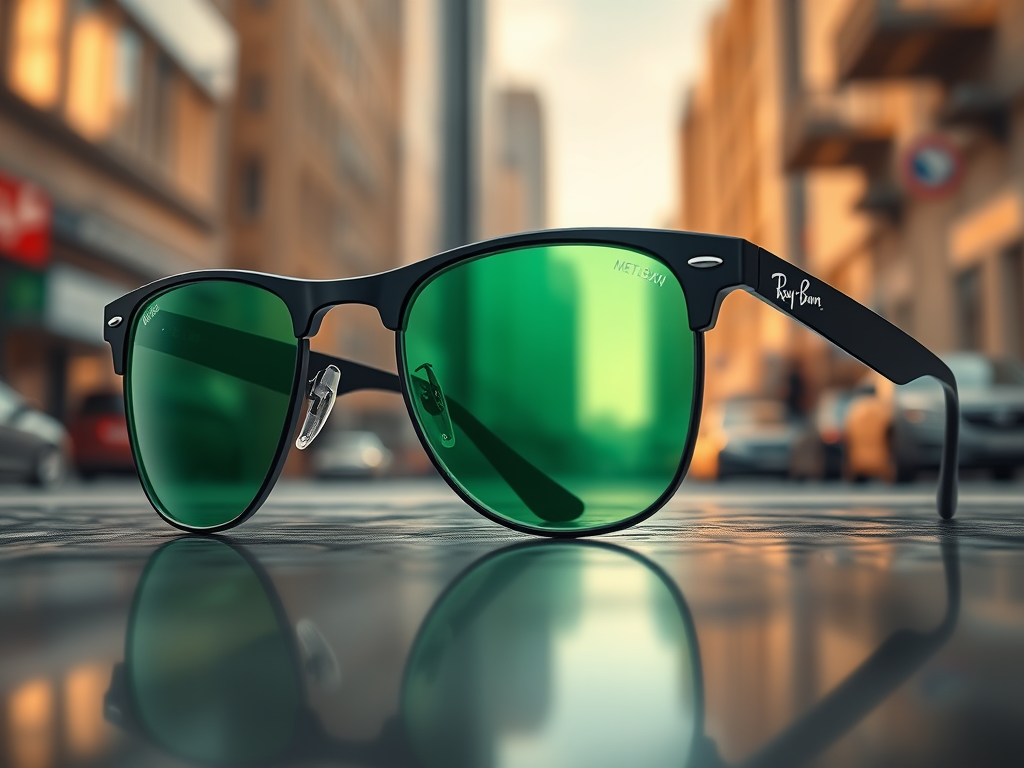
    I recently acquired a pair of Ray-Ban Metas, and I’m thrilled with their sleek black frames, stylish transition green lenses, and the incredible capabilities of Meta AI. While they come in various frame colors and lens options, this particular combination resonated with me. At $459.99, they represent a significant investment, but I believe the freedom they provide is priceless.

    A Newfound Freedom

    These glasses have opened up a world of environmental awareness for me. From the trees lining the street to road signs and bus stop information, they allow me to explore and understand my surroundings independently. I no longer feel overwhelmed or reliant on visual interpreters, sighted friends, or family to describe what’s around me. Perhaps most exciting of all, I can now read restaurant menus accessibly and on my own.

    Unexpected Accessibility

    The Ray-Ban Metas weren’t originally designed with visually impaired individuals in mind. However, they’ve become a mainstream, affordable, and functional piece of assistive technology. While some may have concerns about Meta’s vision and values, the fact remains that this large corporation has created a system that works effectively and at a reasonable price point. For me, that’s a win.

    The Price of Independence

    I’m more than willing to pay $459.99 for the freedom, enhanced independence, and increased access to information that these glasses provide. For me, the value is immeasurable.